
Tutoring Services Across Canada

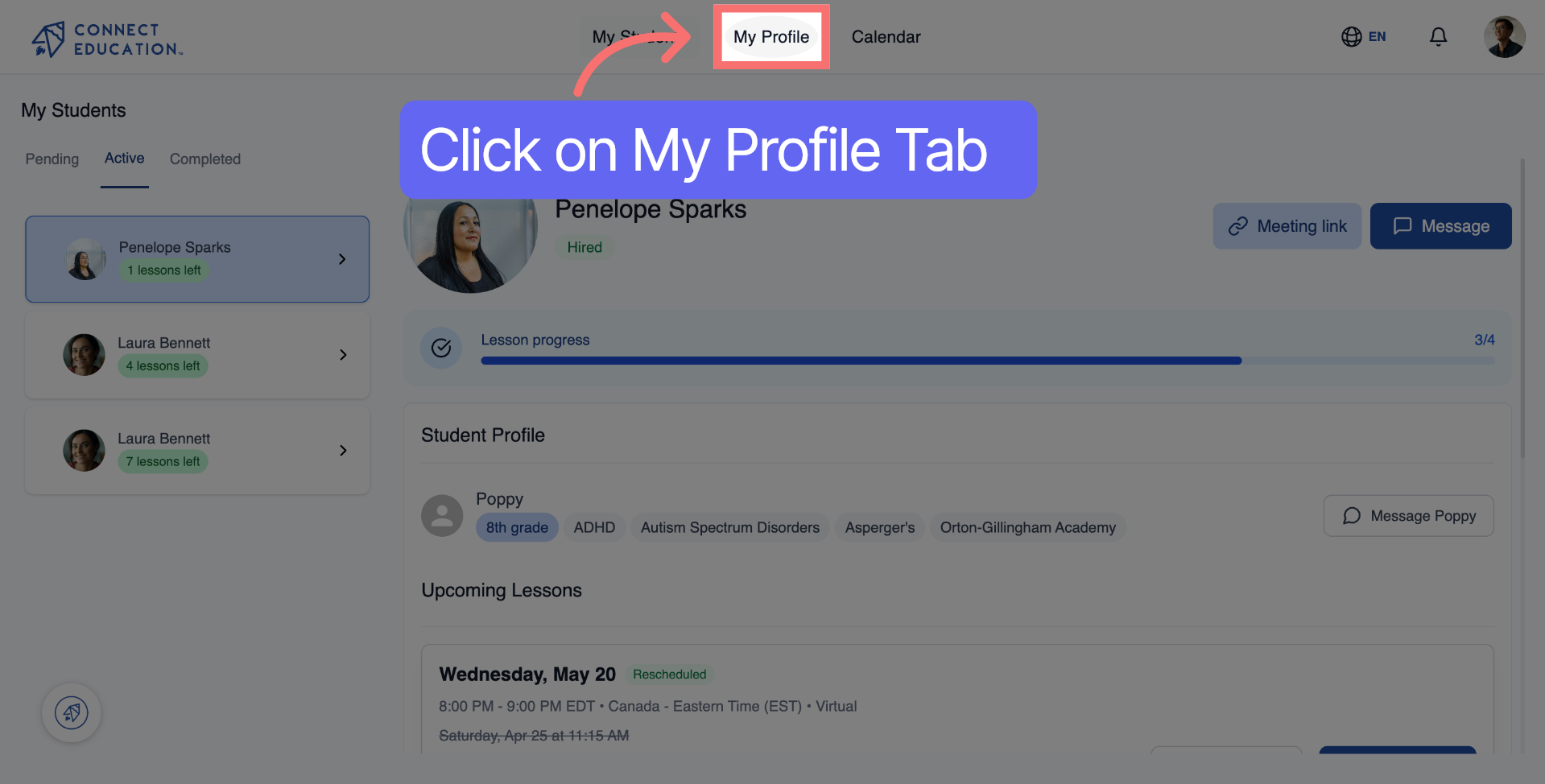
Log in to your Connect Education account, then click "My Profile" in the top navigation to open yourprofile page.
Click the pen icon on your profile page to access the editing options for your rates and personal details.

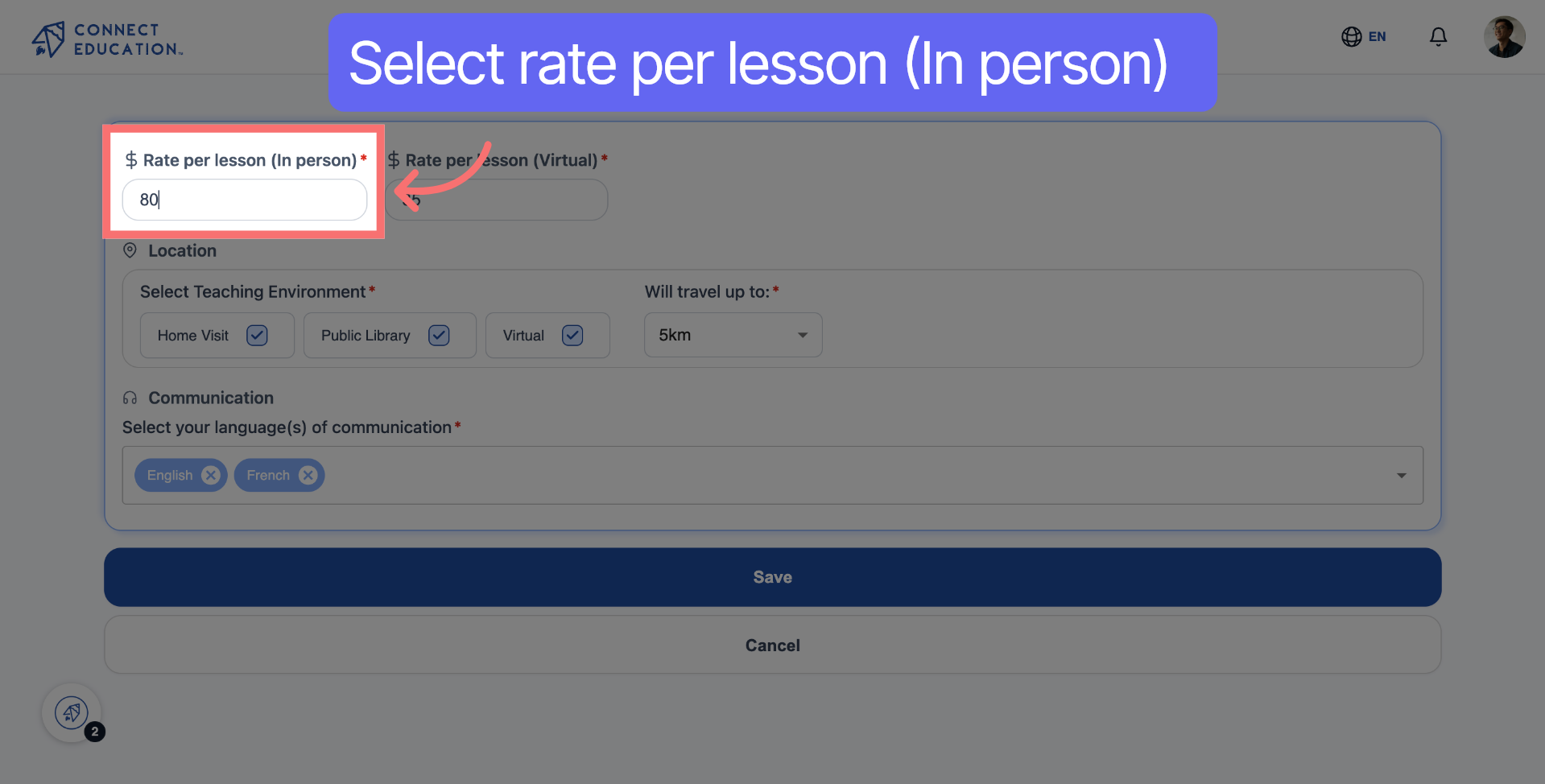
In the first section, enter the rate you want to charge per in-person lesson.
Move to the next section and enter the rate you want to charge per virtual lesson.

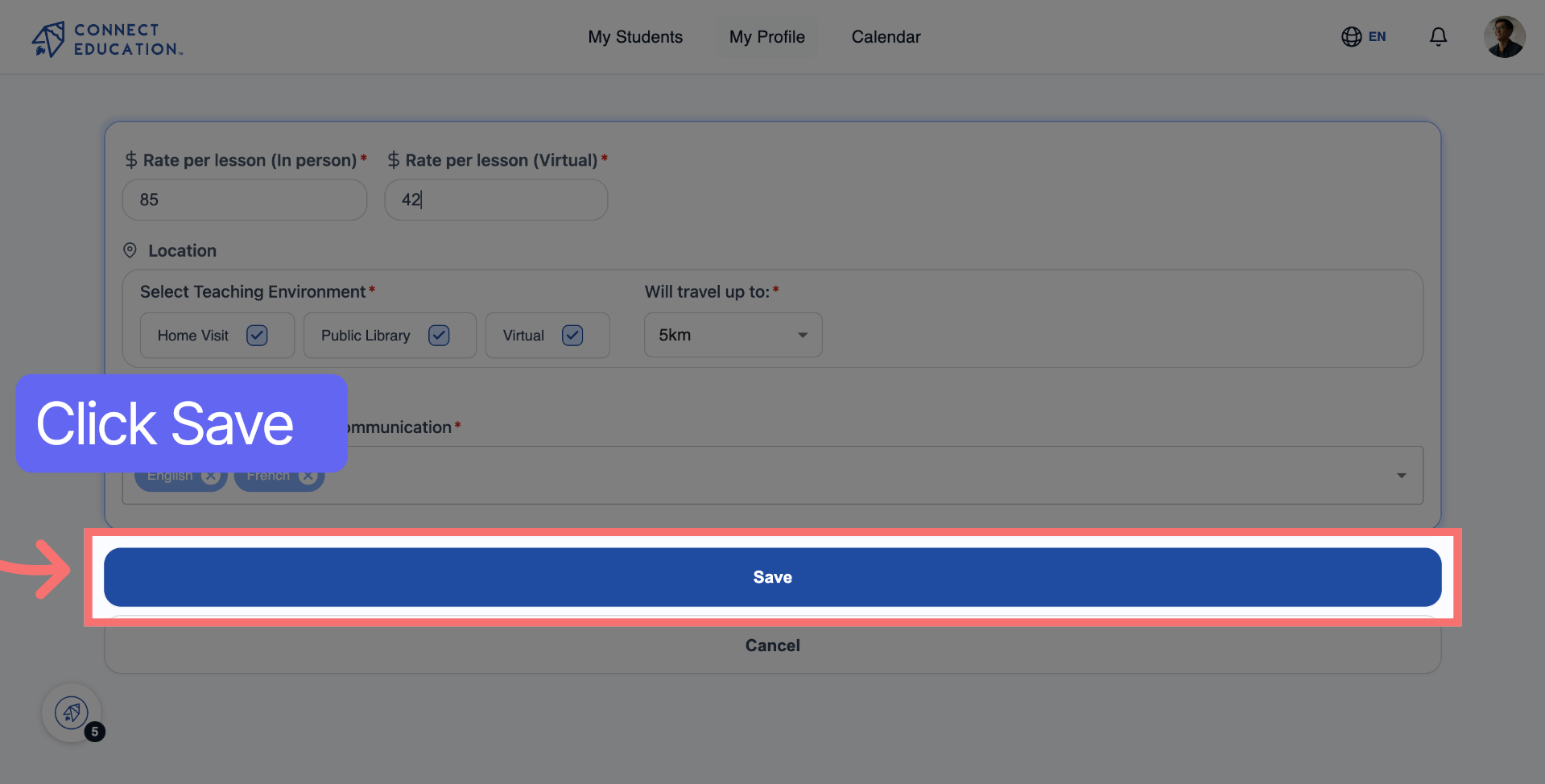
Click "Save" to confirm and publish your updated rates to your profile.
• You can update your rates at any time from your profile settings.
• Families often search by price range, so keeping your rates current helps you appear in more results.
• If you offer both in-person and virtual sessions, make sure both fields are filled in: leaving one blank may limit your visibility.
• Research what other tutors in your subject and area charge to stay competitive.



Questions about matching, scheduling or pricing? Reach us whichever way suits you, and our team will take it from there.


