Teacher Help Centre

How to Share Your Teacher Profile

Grow Your Student Base by Promoting Your Profile Online

Use your Connect Education profile link to attract new students and parents by sharing it on social media, messaging apps, or email. This helps you build your professional presence and reach families who are actively looking for a qualified educator. Follow these steps to share your profile.

Step 1: Log In as a Teacher

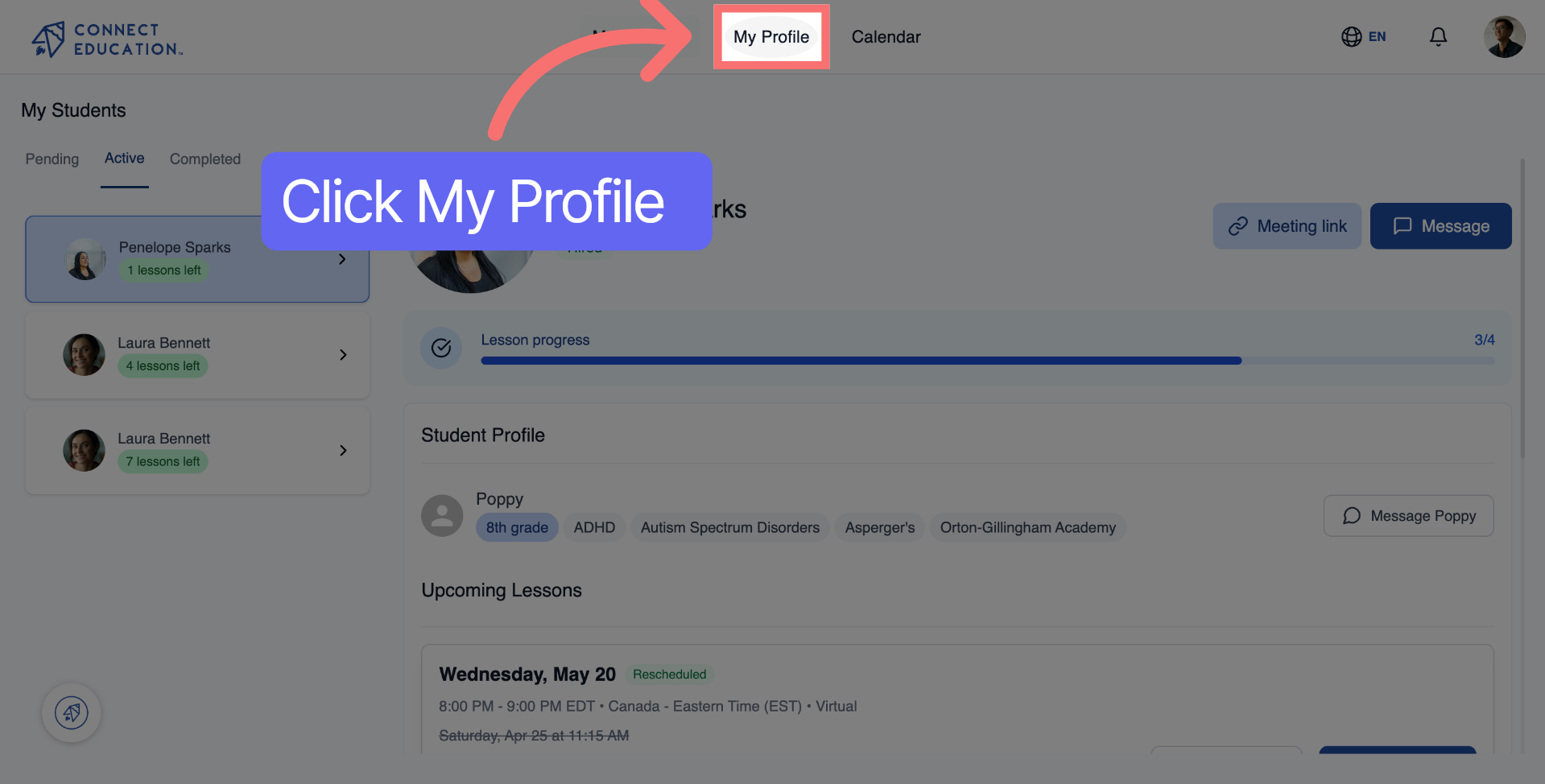
Log in to Connect Education Account, then click "My Profile" in the top navigation to open your personal profile page.
Step 2: Open Profile Sharing Options

‍

Step 2: Open Profile Sharing Options

‍On your profile page, click "Share profile" to open the sharing options.

Step 3: Copy Profile Link

‍

Step 3: Copy Profile Link

‍Click "Copy" to copy your Connect Education profile link to your clipboard — or choose a platform directly to share in one click.

Step 4: Choose Where to Share

‍

Step 4: Choose Where to Share

‍Select any platform to share your profile link:

  • WhatsApp — send directly to contacts or groups
  • Facebook — post on your feed or page
  • LinkedIn — share with your professional network
  • Email — send to contacts directly
  • X (Twitter) — post publicly to reach a wider audience
Step 5: Add a Message and Share

‍

Step 5: Add a Message and Share

Start Creating a LinkedIn Post
Paste Profile Link in Post

‍

‍

Additional Resources for Your Success

A smiling Connect Education customer care advisor in glasses and a yellow cardigan holding a phone
We are here to help

Talk to a real person

Questions about matching, scheduling or pricing? Reach us whichever way suits you, and our team will take it from there.