
Tutoring Services Across Canada

Pick a time, repeat it every week and sync it to Google Calendar. Teachers set their hours, families book what fits, and lesson reminders keep everyone on track.








550+ certified, background-checked educators

Every tutor is a licensed teacher in good standing

255+ specialists for IEPs, ADHD, ASD and Dyslexia

Online, in person, or at your local library

Kindergarten to Grade 12

Trusted by families across Canada

ESL and FSL support
550+ certified, background-checked educators
Every tutor is a licensed teacher in good standing
255+ specialists for IEPs, ADHD, ASD and Dyslexia
Online, in person, or at your local library
Kindergarten to Grade 12
Trusted by families across Canada
ESL and FSL support
Every scheduling feature in the app, for families and for teachers. Pick your side to see what it does for you.
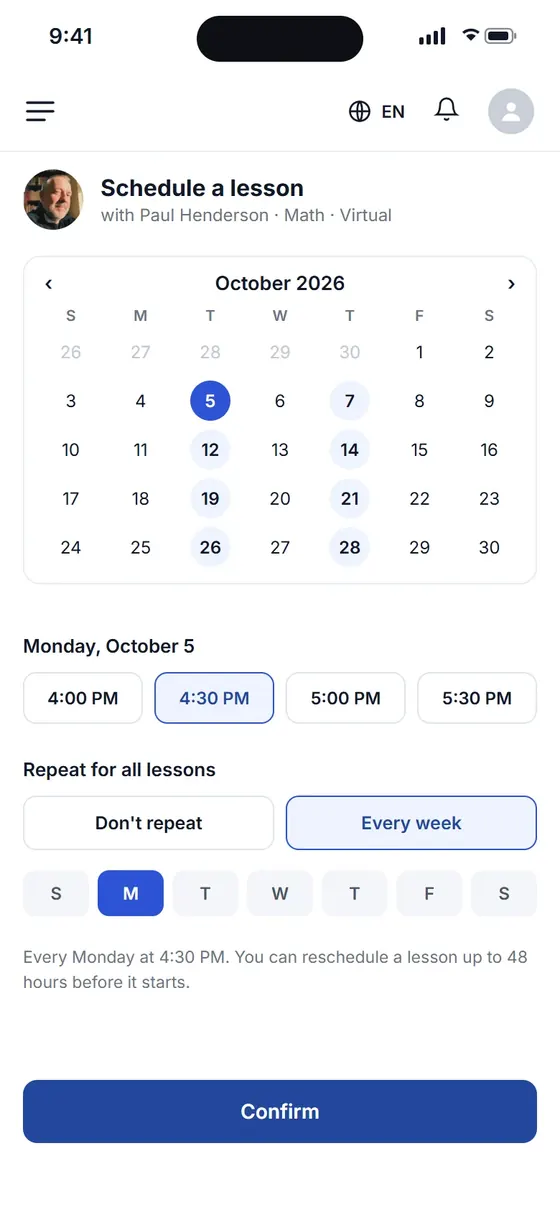
Pick a date and a time your teacher is free, then repeat it every week so the whole term is booked at once.
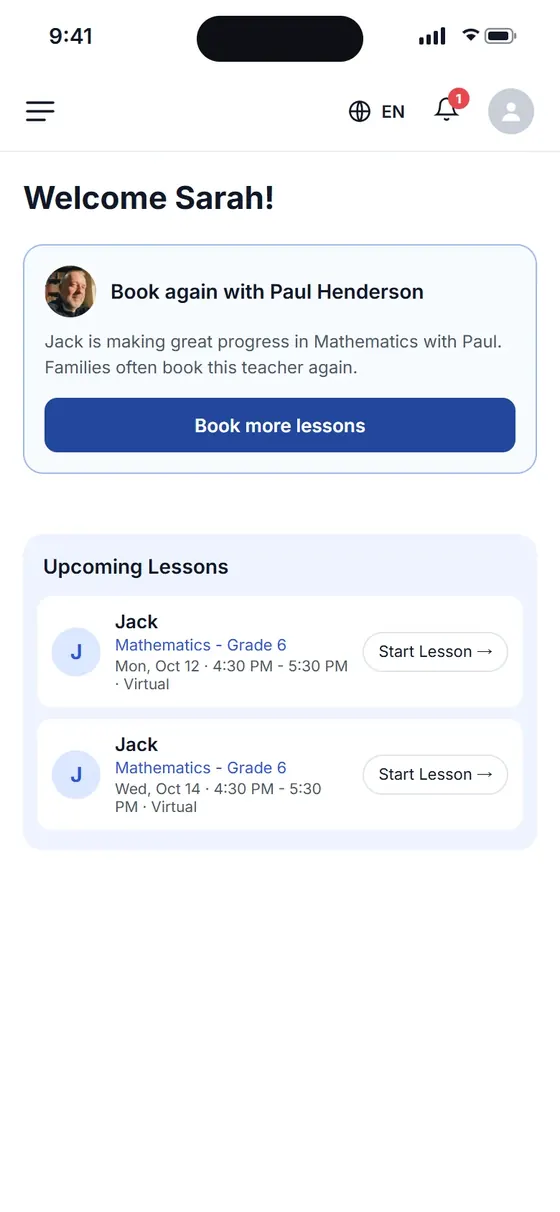
Your dashboard lists each child's upcoming lessons with the date, time, subject and teacher, and the Calendar tab shows the whole week.
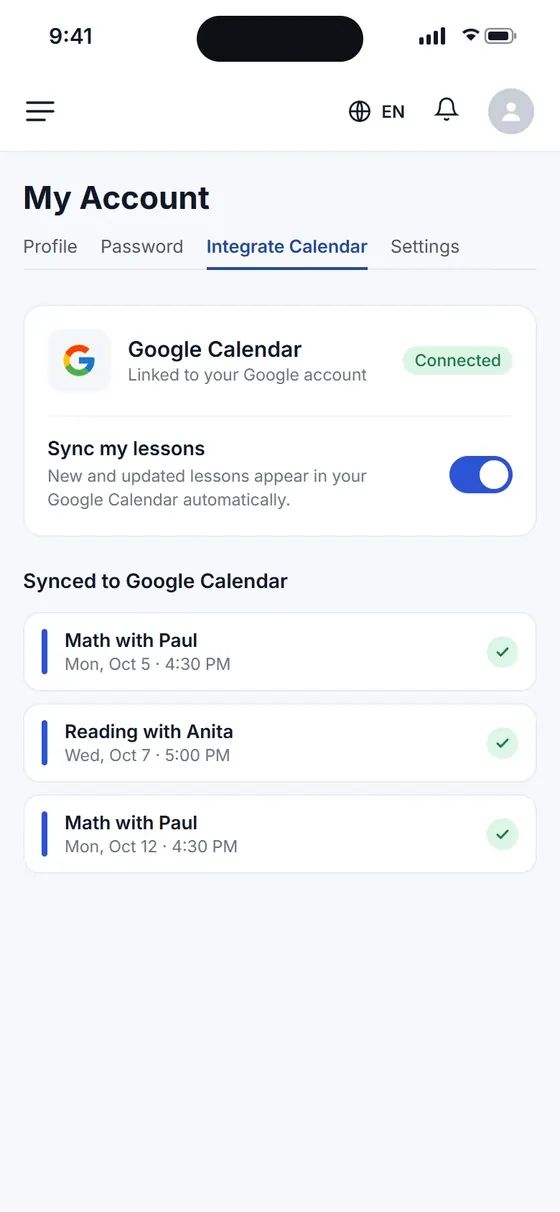
Connect Google Calendar once and every new or changed lesson appears there automatically, next to the rest of your family's week.
Pick days and times that suit your child, then book, rebook or change lessons in the app, with a reminder before each session.

 Book lessons onlineOnline or in person

The next pages worth a look, and the rest of the platform.

Questions about matching, scheduling or pricing? Reach us whichever way suits you, and our team will take it from there.
 Times that fit your weekCertified educators only
Choose a teacher who fits, pick a time they are free and book it in the app.
Yes. Reschedule in the app up to 48 hours before the lesson, with no penalty. Inside 48 hours, message your teacher in the chat: many can still move it.
Yes. We send a reminder before each lesson so nothing gets missed.
Both. Book regular weekly lessons or extra help before tests and exams.
Cancel 24 hours or more before the lesson and there is no charge. Cancelling within 24 hours costs 50% of the lesson rate, which goes to the teacher for the time they reserved. Read the cancellation policy
Yes. Agree on a new time with the teacher in the chat, then update the booking in the app.
Yes. Every booked lesson appears in your parent account, and you can connect Google Calendar to see lessons alongside the rest of your week.
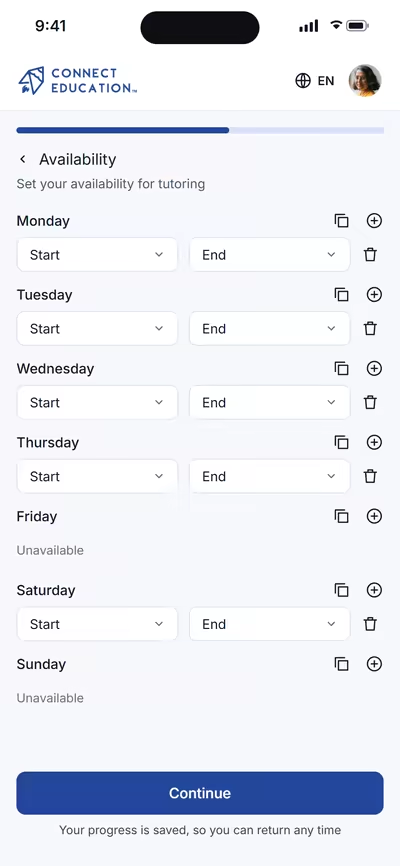
Choose the hours you teach and where: online, home visits or a public library. Families can only request the times you have open.
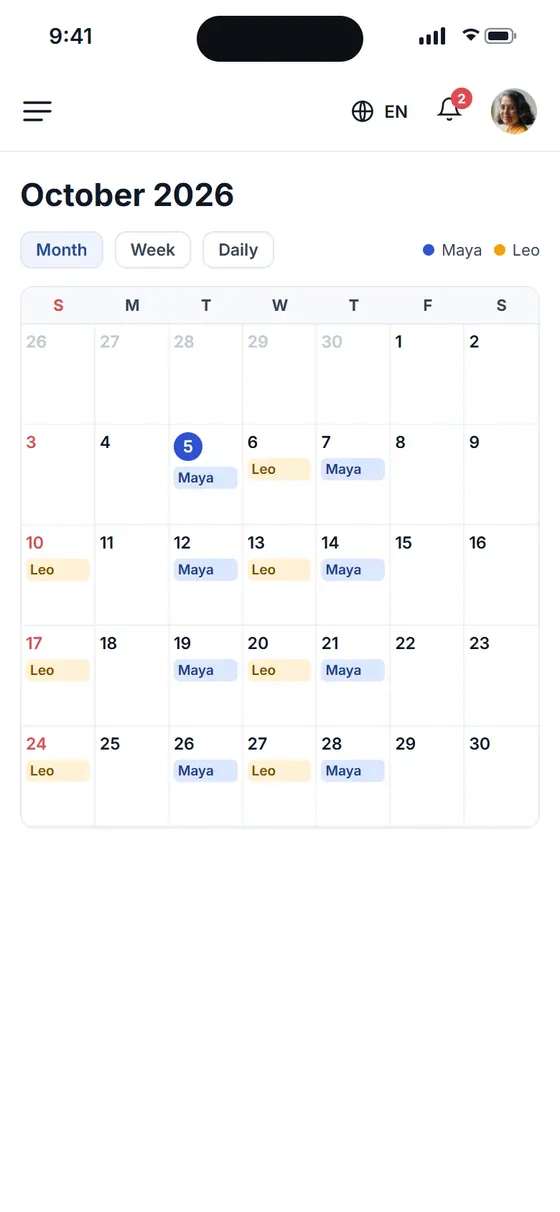
See every student's lessons in a month, week or daily view, schedule the rest of a contract in one go and reschedule when plans change.
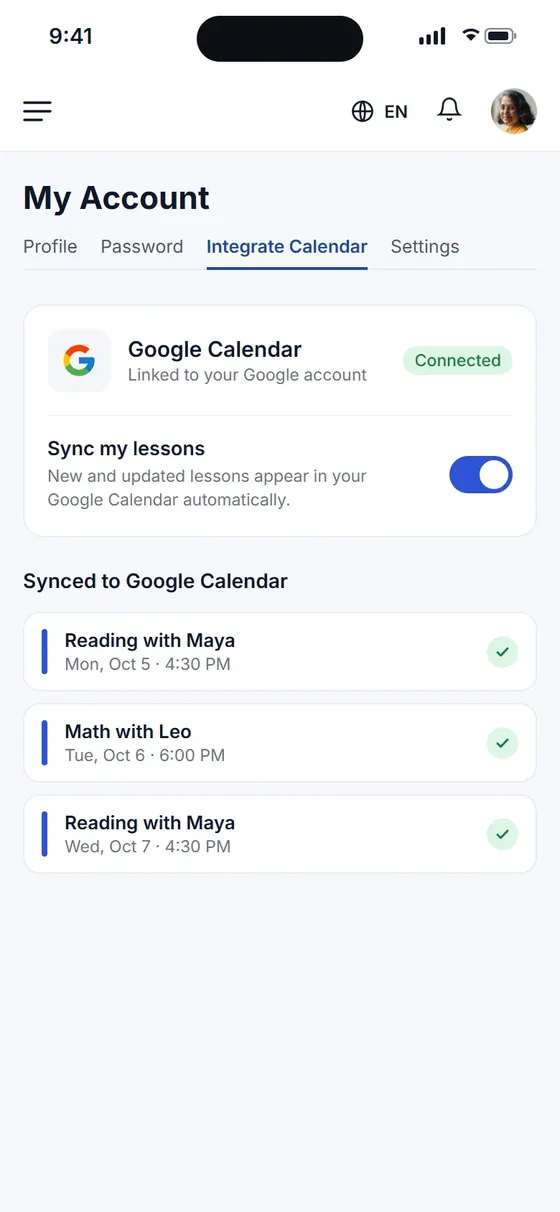
Connect your Google account and your Connect Education lessons sit beside your school day, so you can spot clashes before you book.
 Teach on your schedule
 Set your own rates
Set your availability once. Families only request times you have marked as open, and you can connect Google Calendar to keep your week in one view.


Open to licensed teachers. Read how to start tutoring.
The next pages worth a look, and the rest of the platform.
Questions about matching, scheduling or pricing? Reach us whichever way suits you, and our team will take it from there.
 Free to joinSet your own rates
Mark your free times in your weekly availability. Families can only request times you have marked as open.
Yes. You can connect Google Calendar to see your lessons alongside the rest of your week.
Yes. Switch on Do Not Disturb or update your availability whenever you need a break.
Yes. Schedule every lesson on the platform so it counts toward your payout.
Yes. Families can reschedule in the app up to 48 hours before the lesson. Inside 48 hours, they message you in the chat and you decide whether you can move it.
If a family cancels within 24 hours of the lesson, 50% of the lesson rate goes to you for the time you reserved.
Yes. You get a reminder before each lesson, and every booked lesson shows in your schedule.
