
Tutoring Services Across Canada

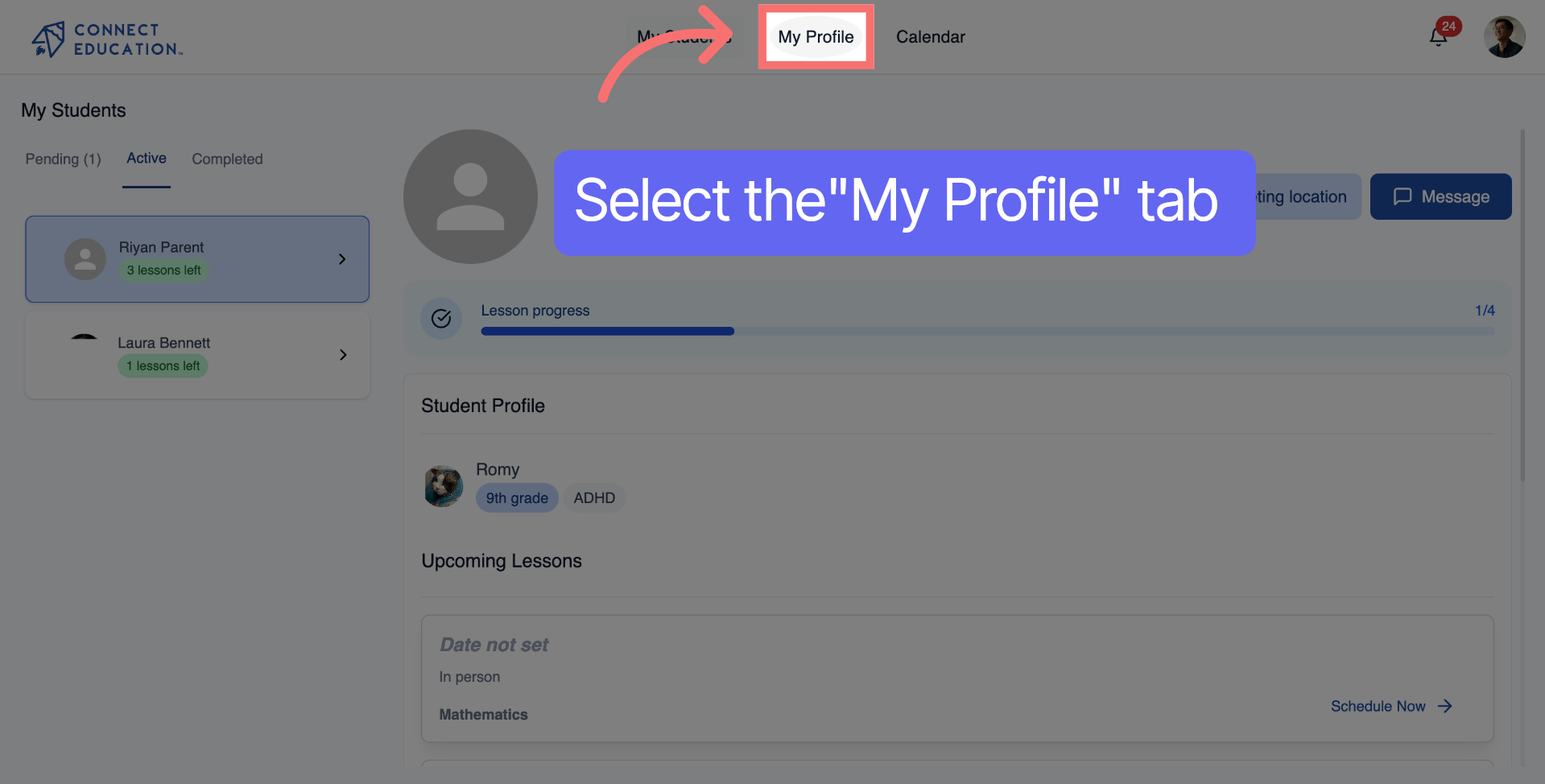
Click the main profile menu icon to start. This will open the navigation so you can get to your account settings.
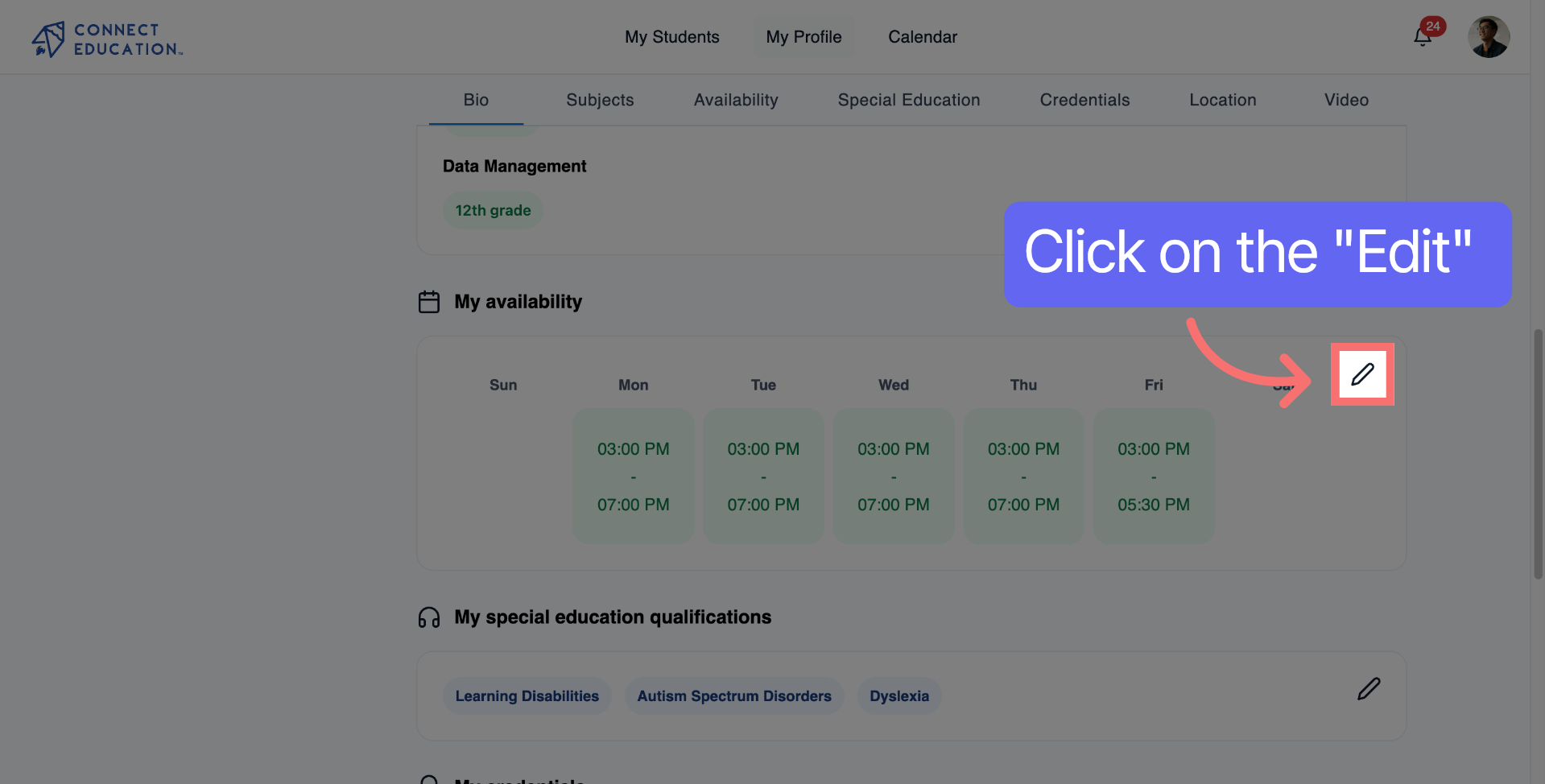
Locate the availability section to start adjusting your available times.
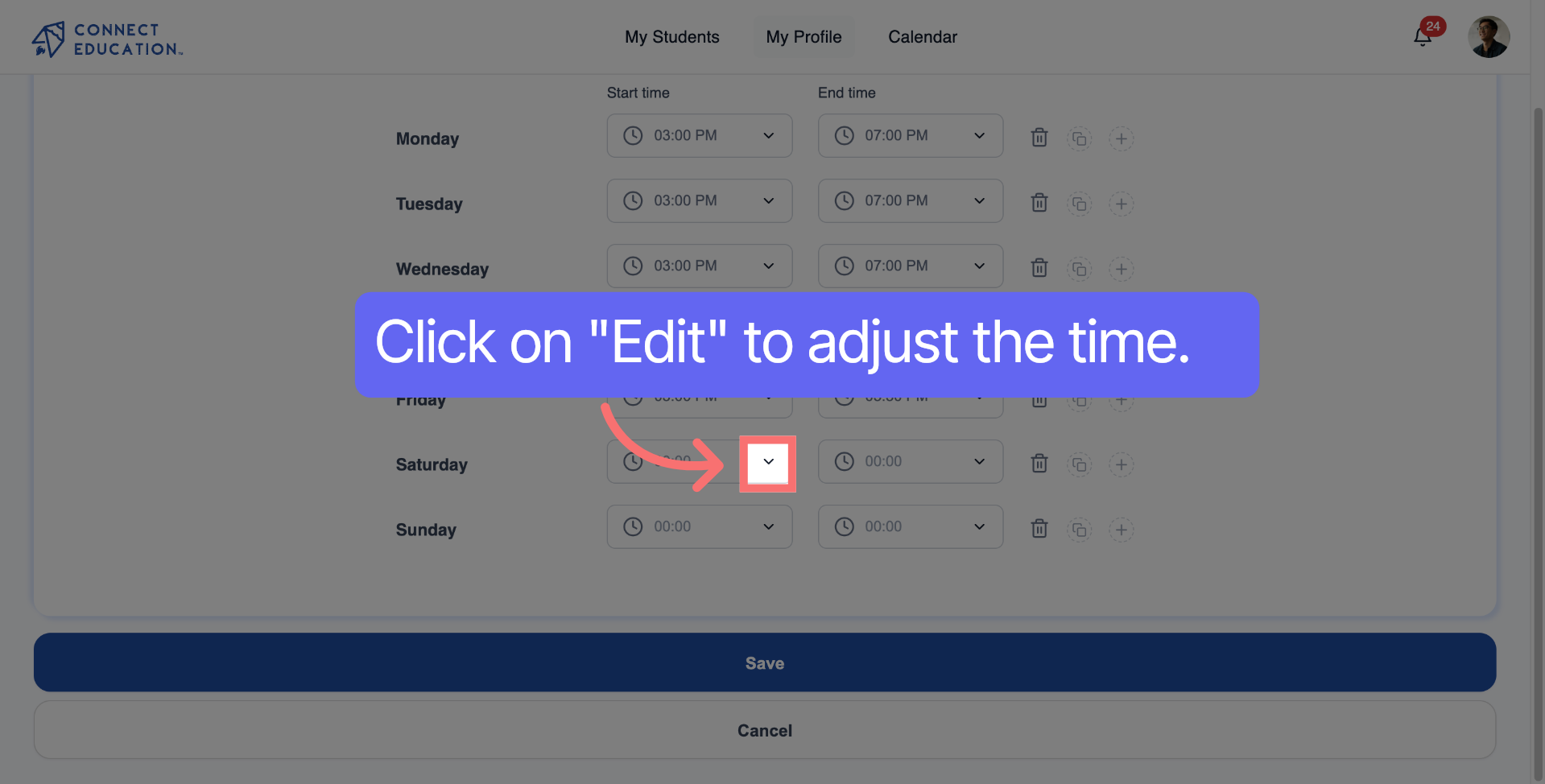
Click the start time field to choose when your availability begins.
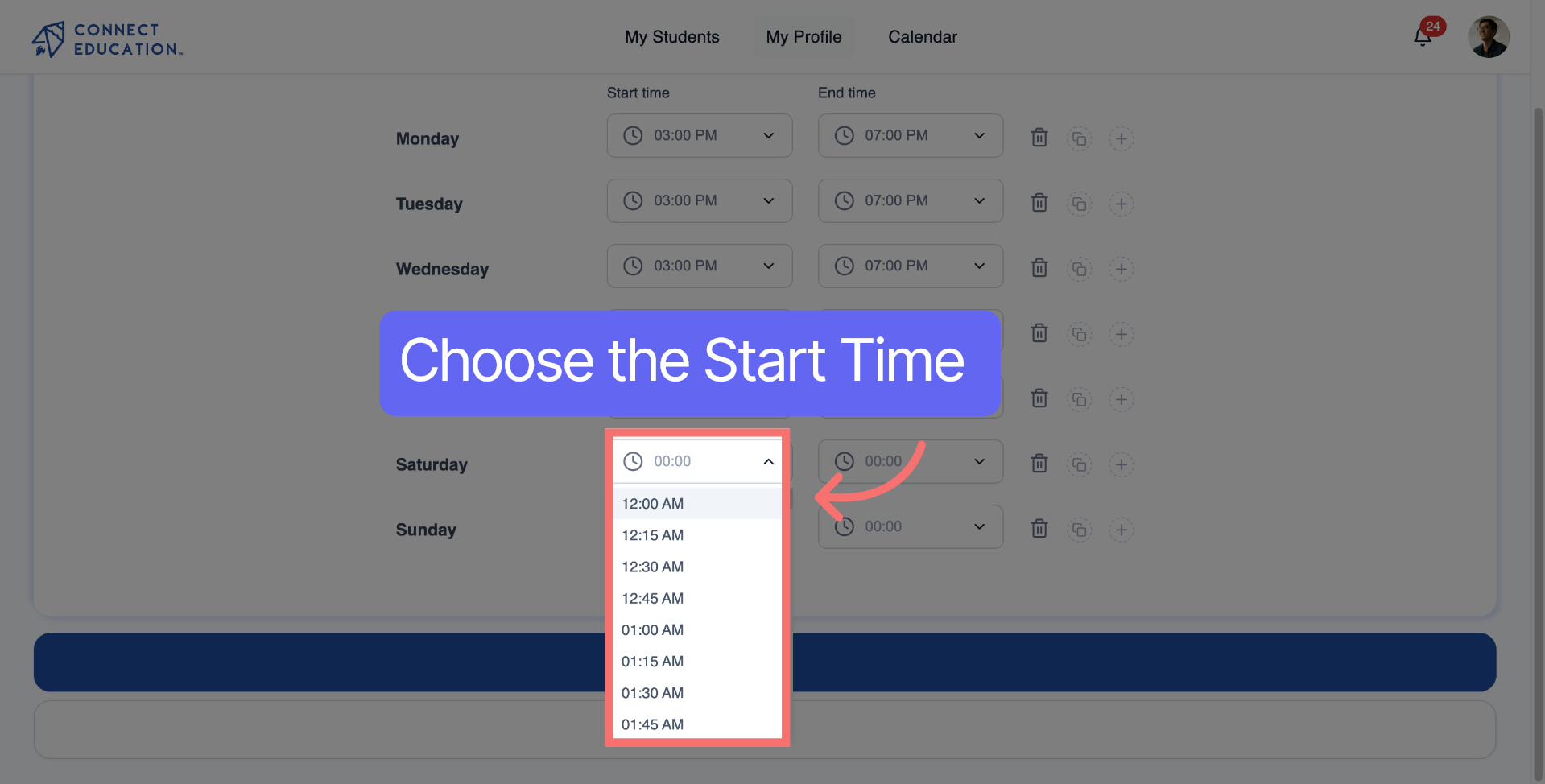
Select the start time for availability.
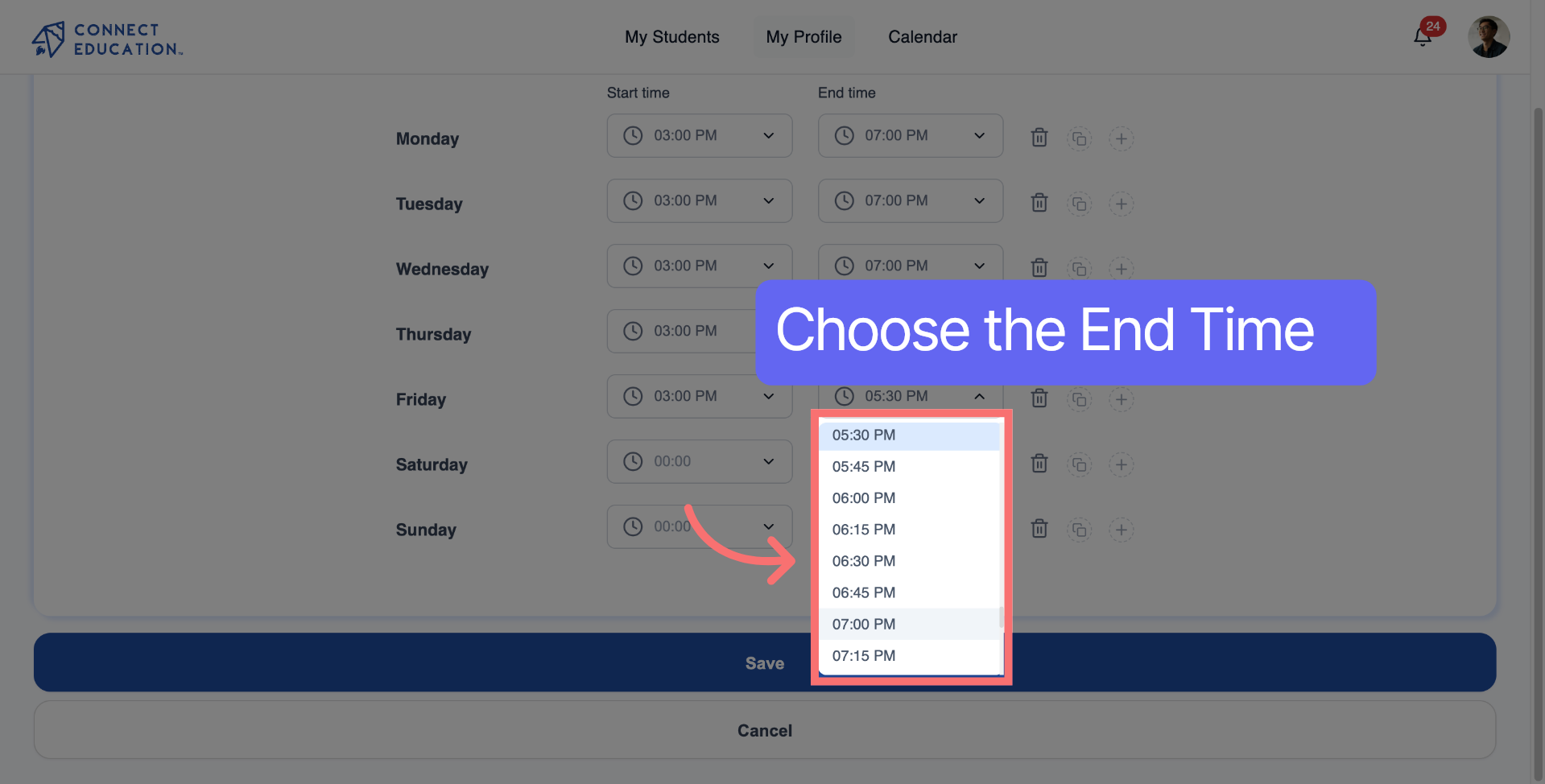
Select the end time for availability.
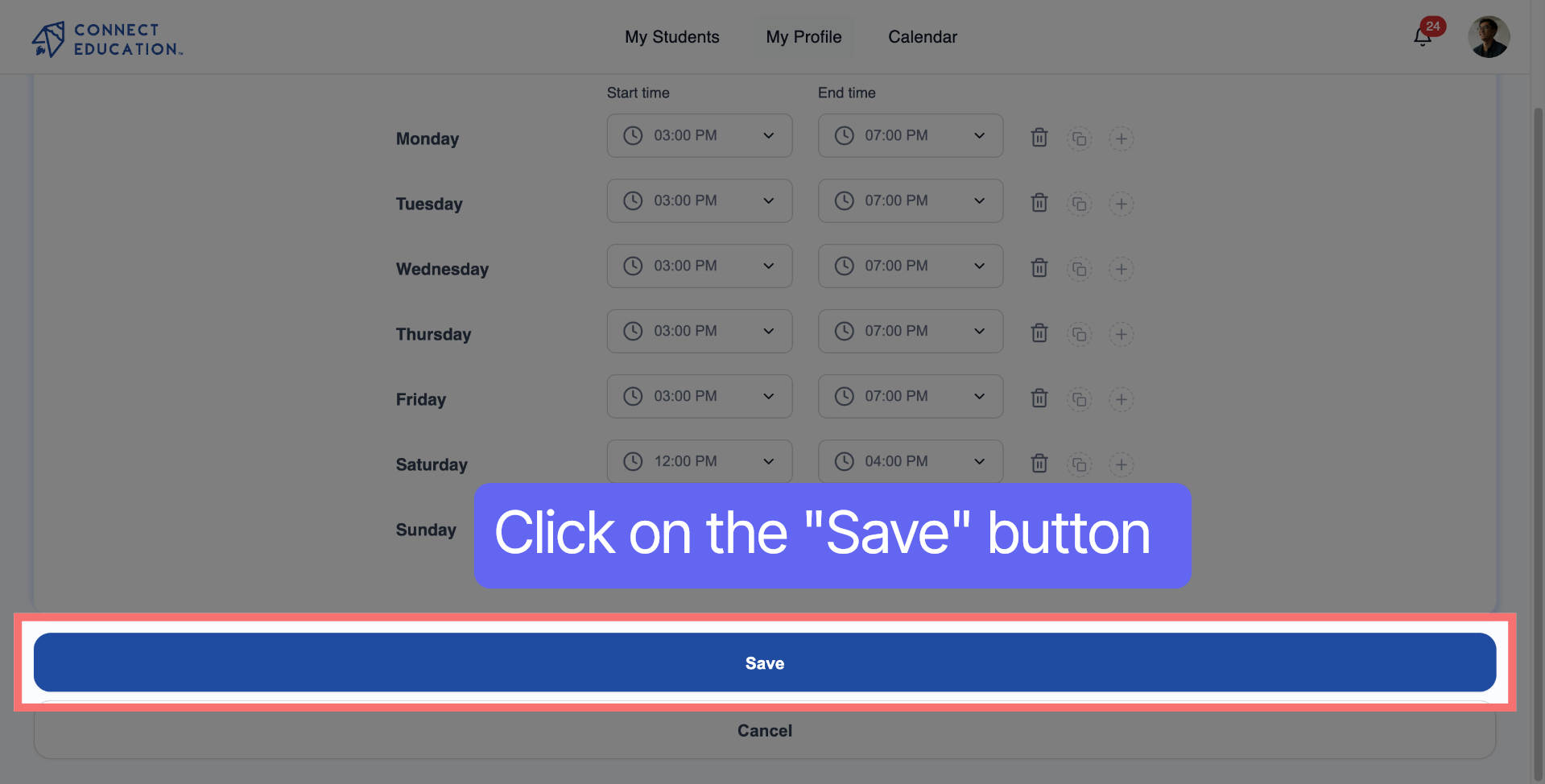
Click the "Save" button to confirm your new availability.
Availability not saving?
Make sure you’ve selected at least one time block and clicked "Save" at the bottom of the page.
Need a break?
Use the Do Not Disturb toggle instead of deleting your availability. This keeps your profile active while pausing new requests.
Want to stand out to more families?
Consider opening up a few evening or weekend slots. Most parents search for tutors during those times.



Questions about matching, scheduling or pricing? Reach us whichever way suits you, and our team will take it from there.


