
Tutoring Services Across Canada

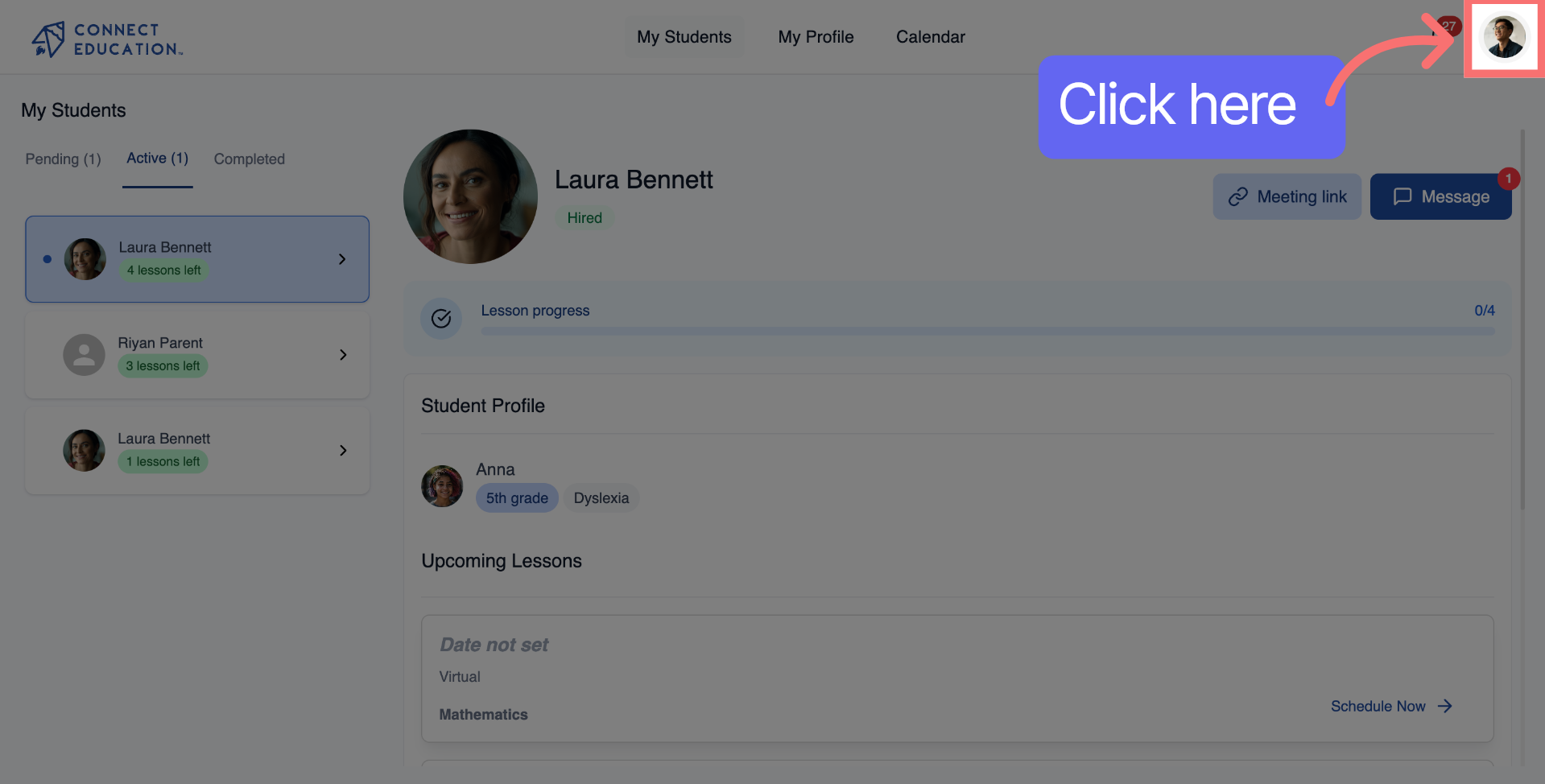
Click the main profile menu icon to start. This will open the navigation so you can get to your account settings.
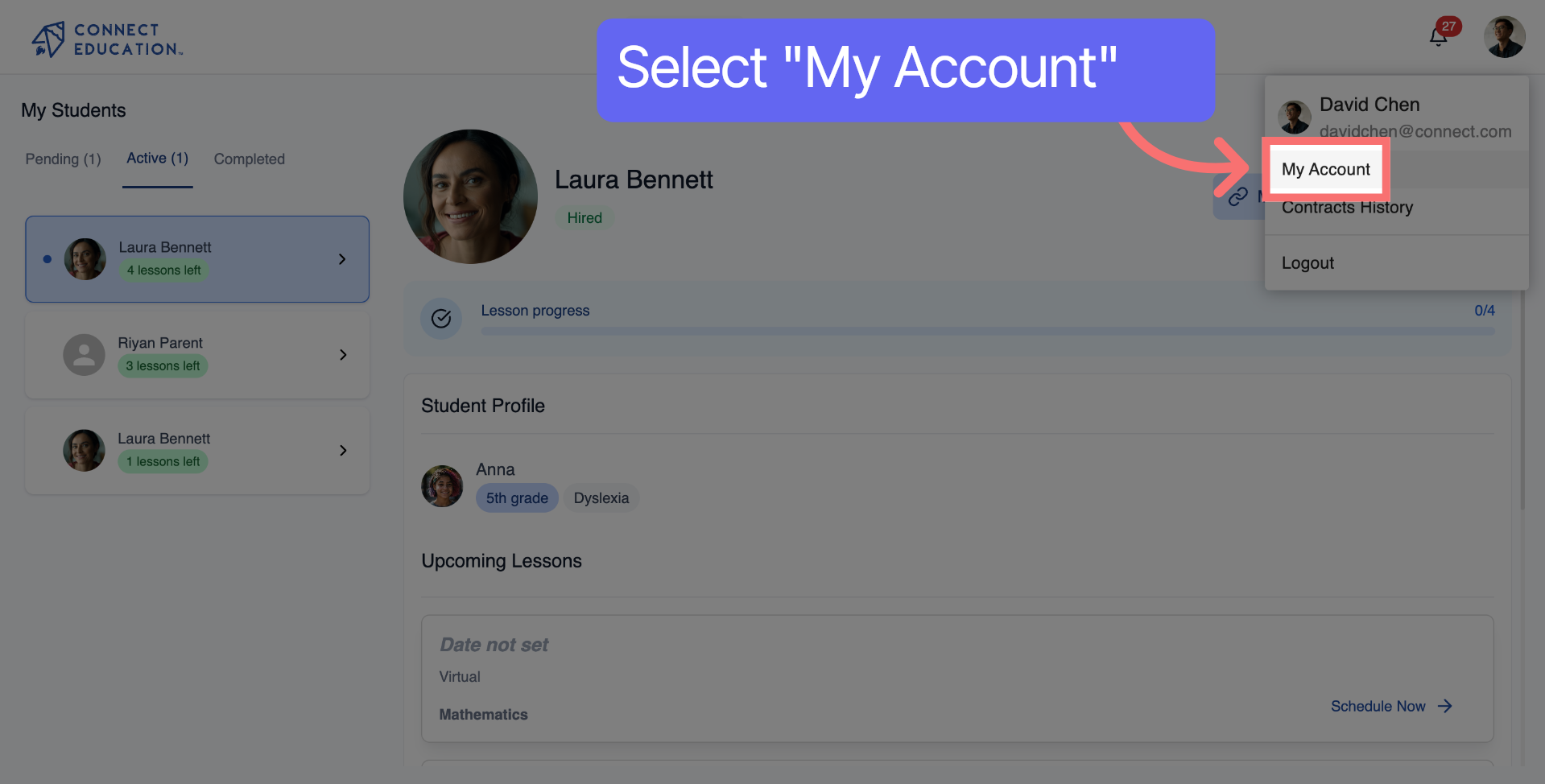
This takes you to your personal teacher account options.
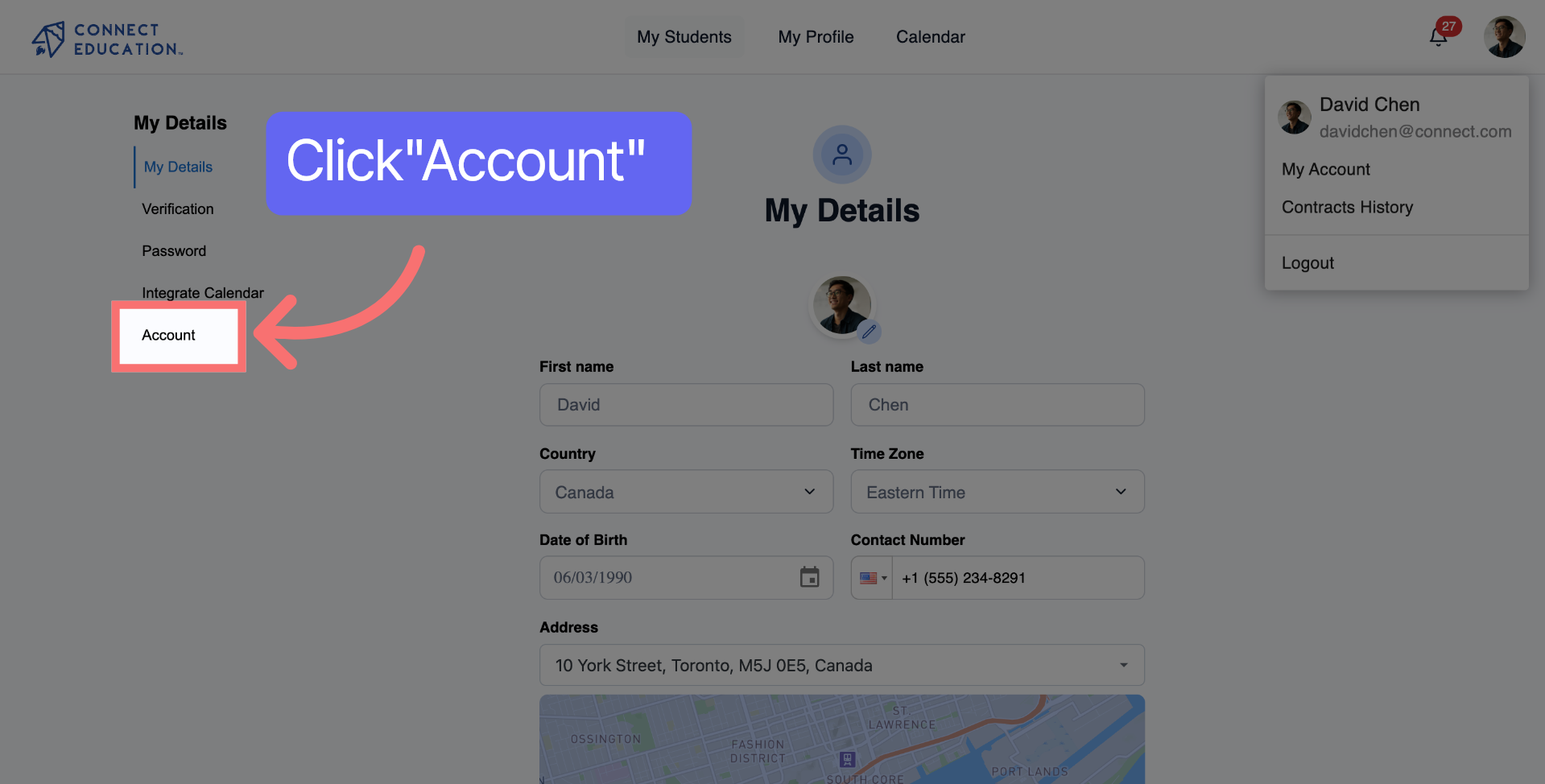
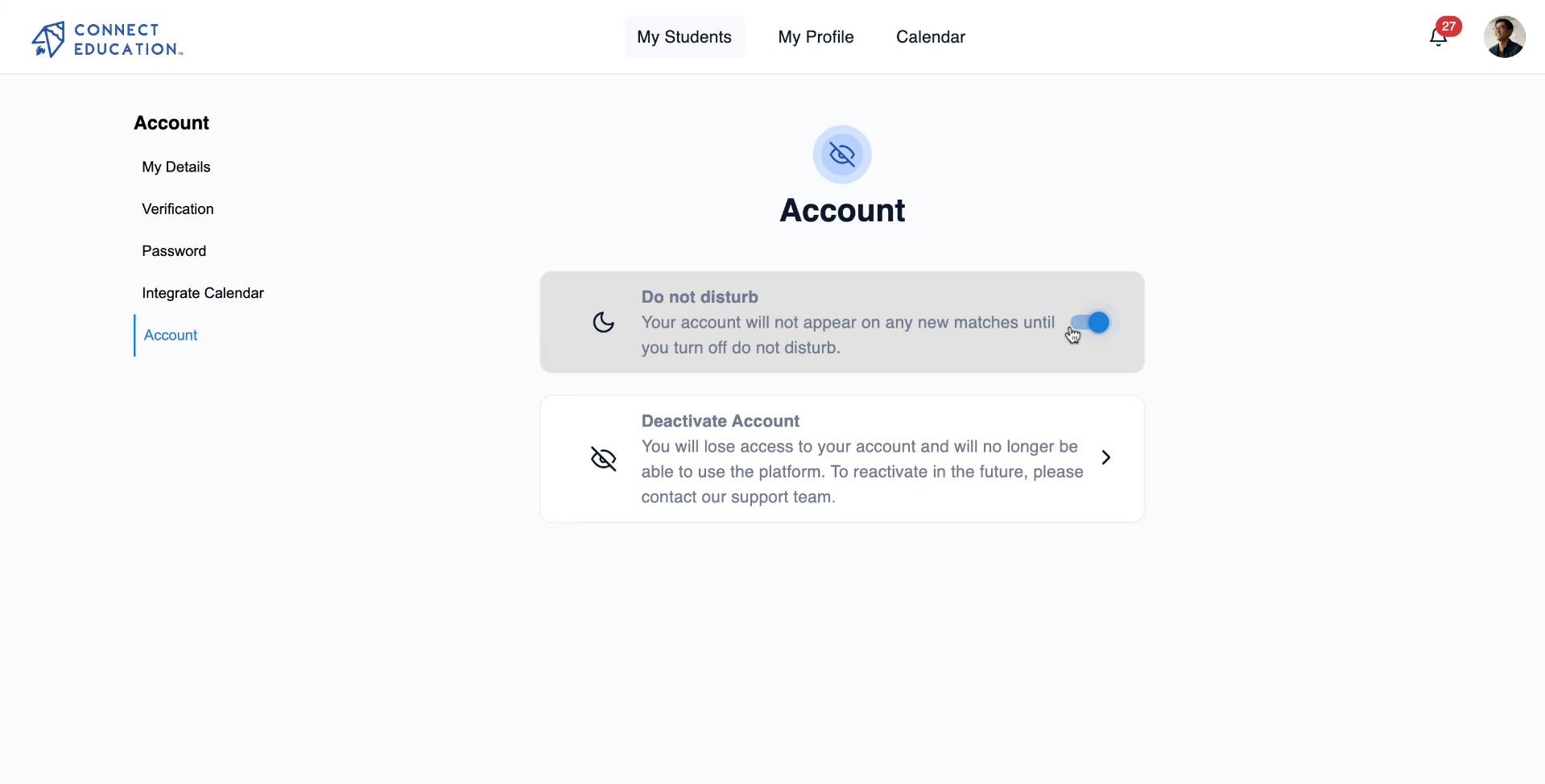
Here you can adjust the platform setting to suit your preferences, including managing your notifications.
Turn on the switch to activate the Do Not Disturb mode.
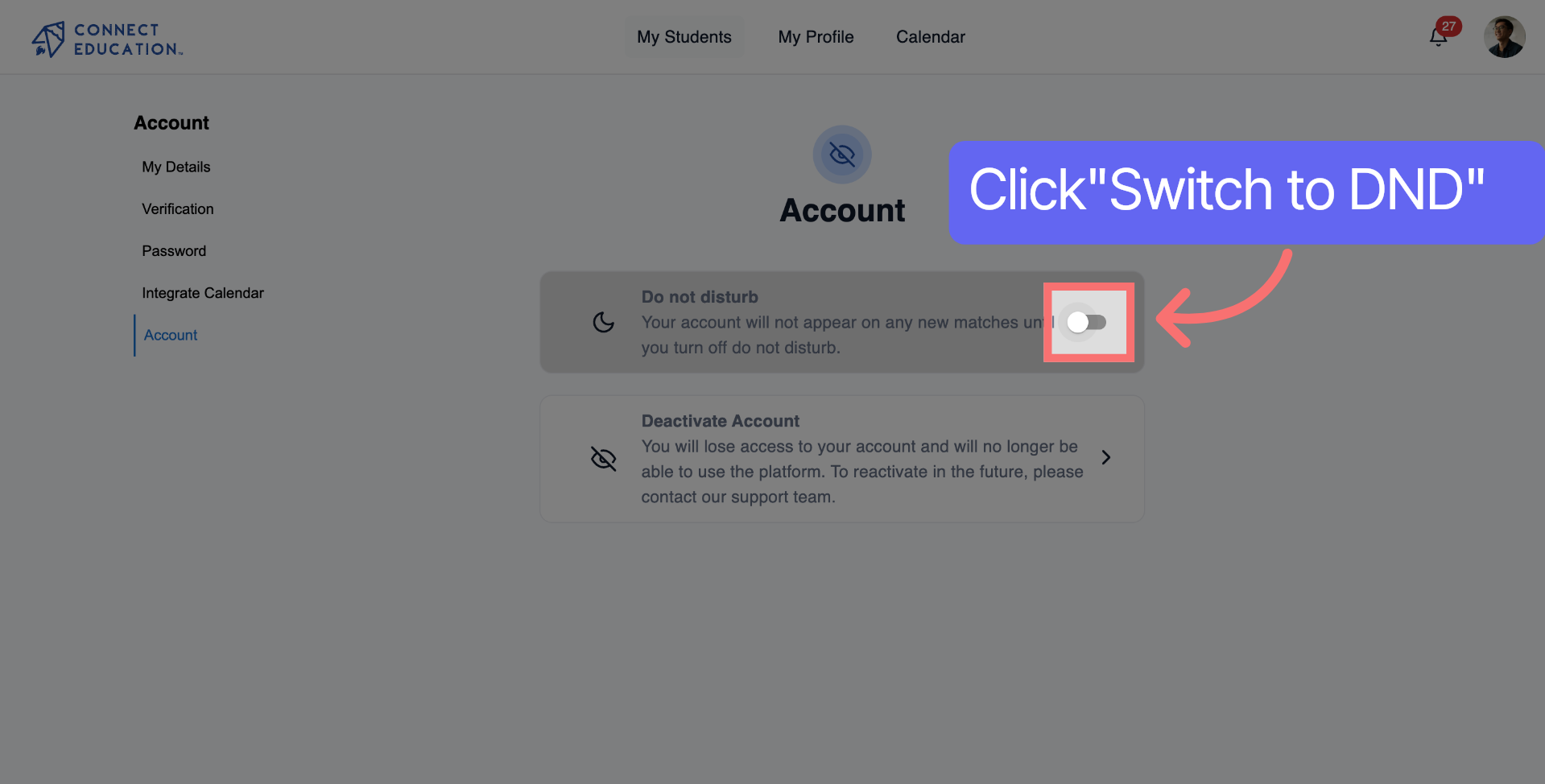
Now you have activated the Do Not Disturb mode which you can change at any time, students and parents will not be able to see your profile while browsing for tutors and cannot schedule any lessons with you.



Questions about matching, scheduling or pricing? Reach us whichever way suits you, and our team will take it from there.


