
Tutoring Services Across Canada

Click the main profile menu icon to start. This will open the navigation so you can get to your account settings.
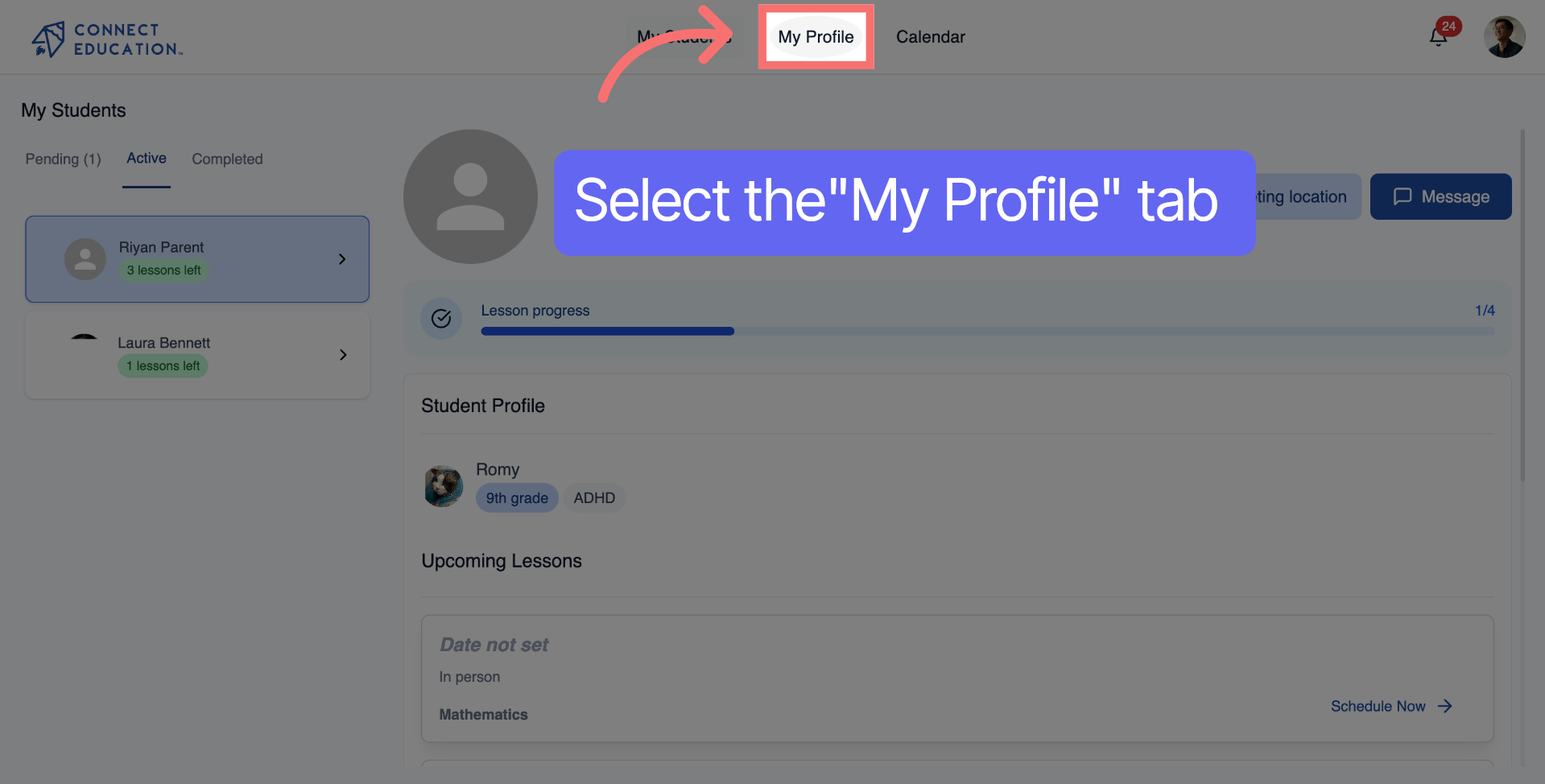
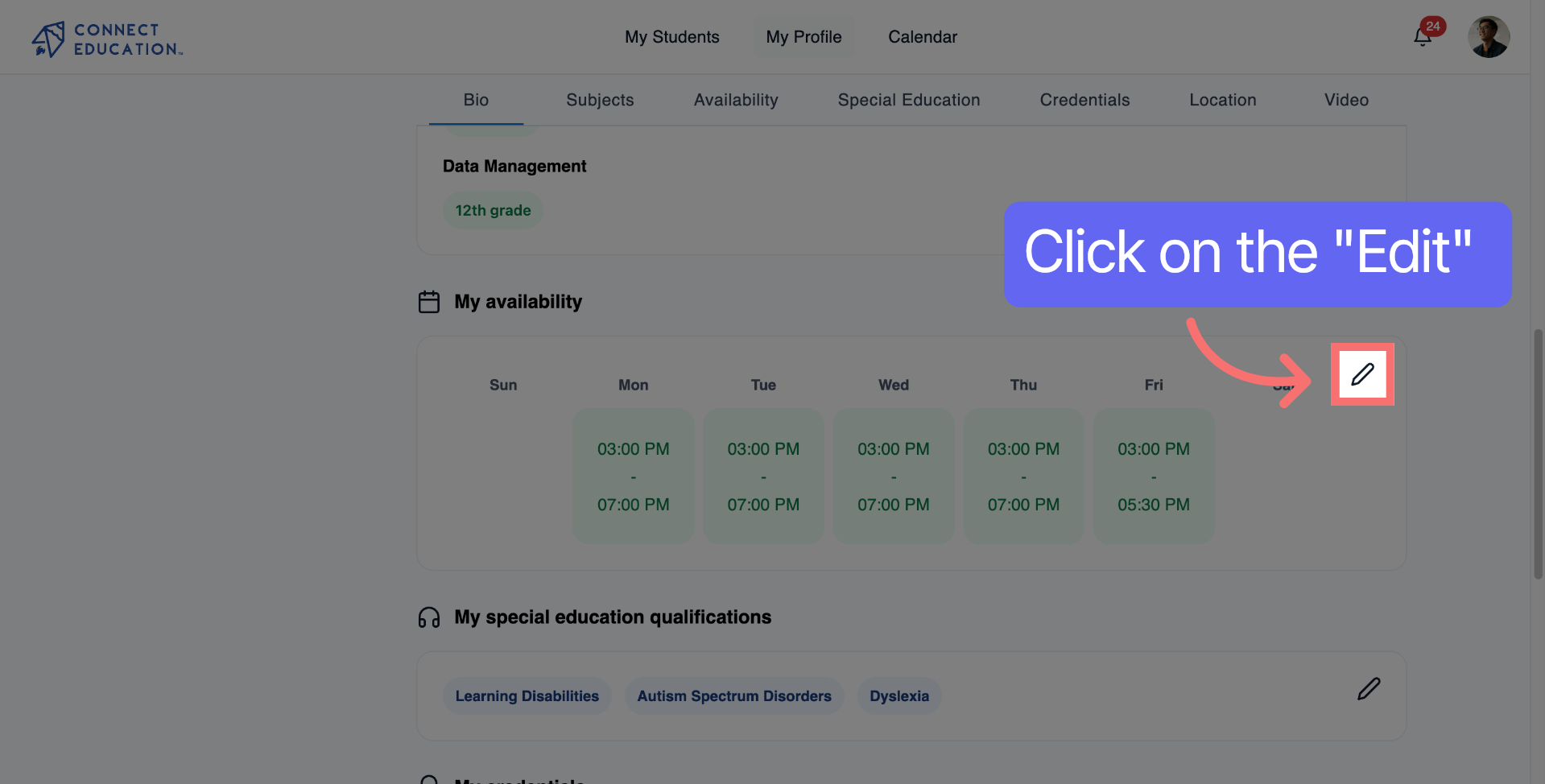
Locate the availability section to start adjusting your available times.
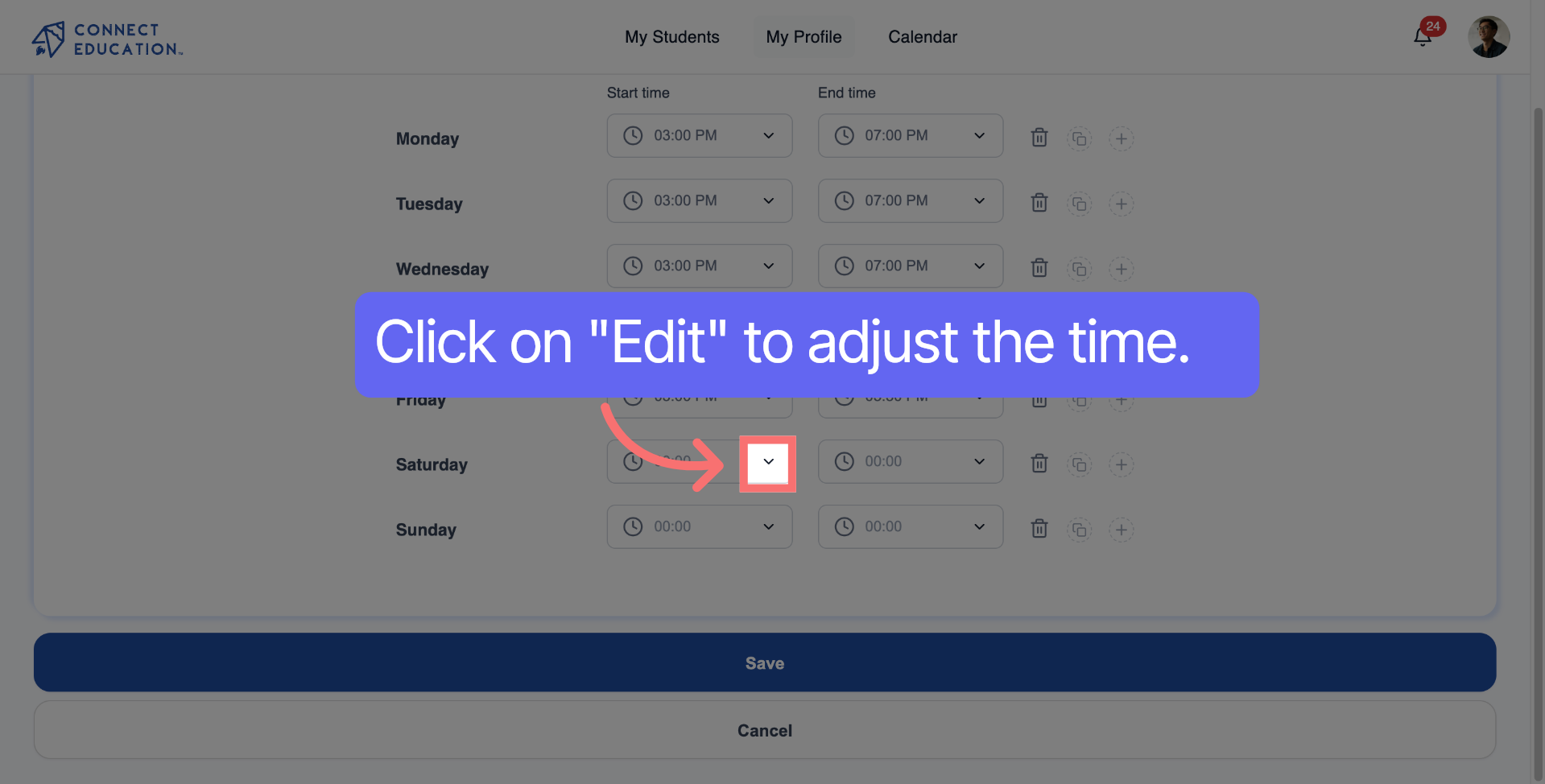
Click the start time field to choose when your availability begins.
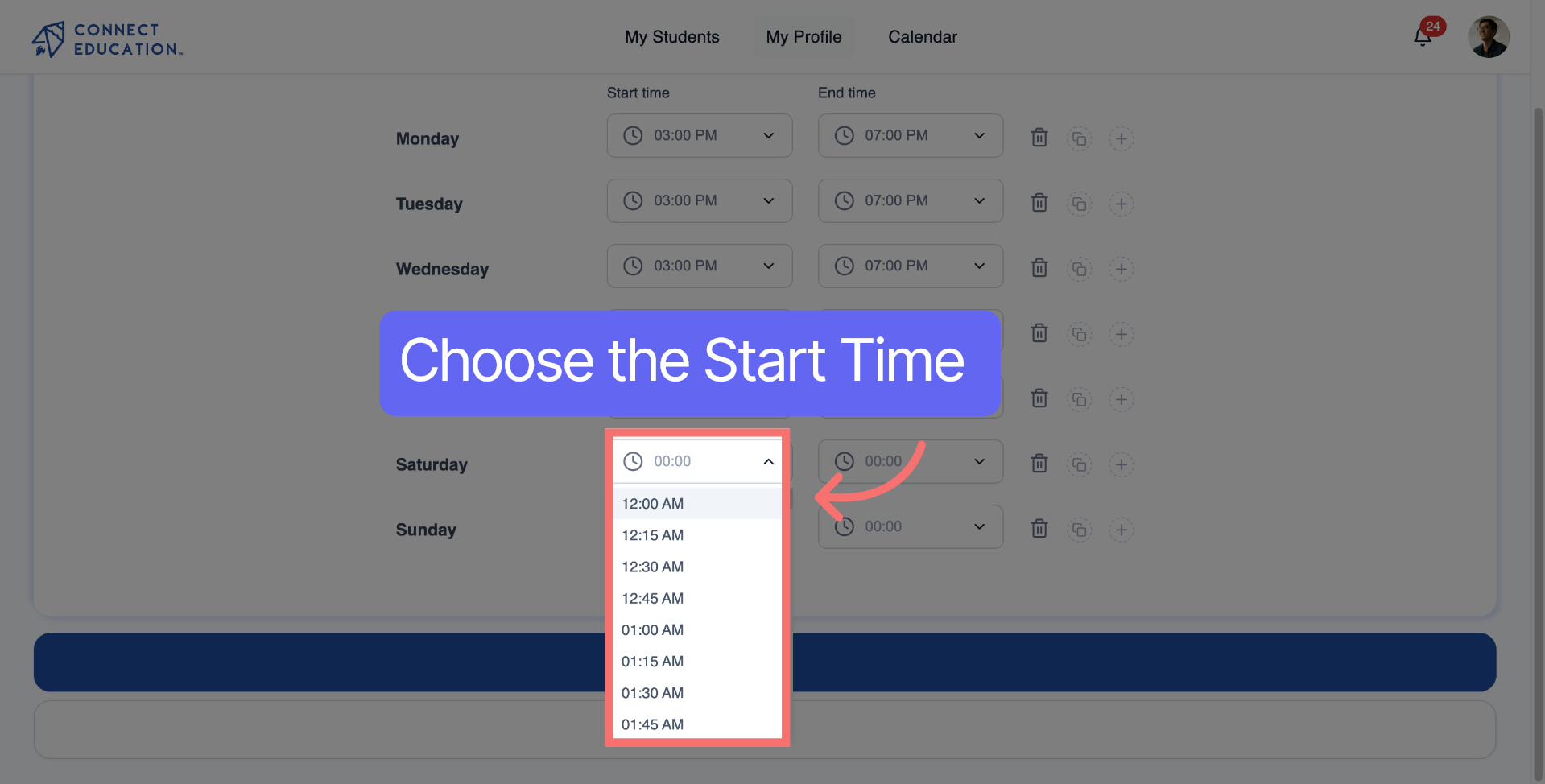
Select the start time for availability.
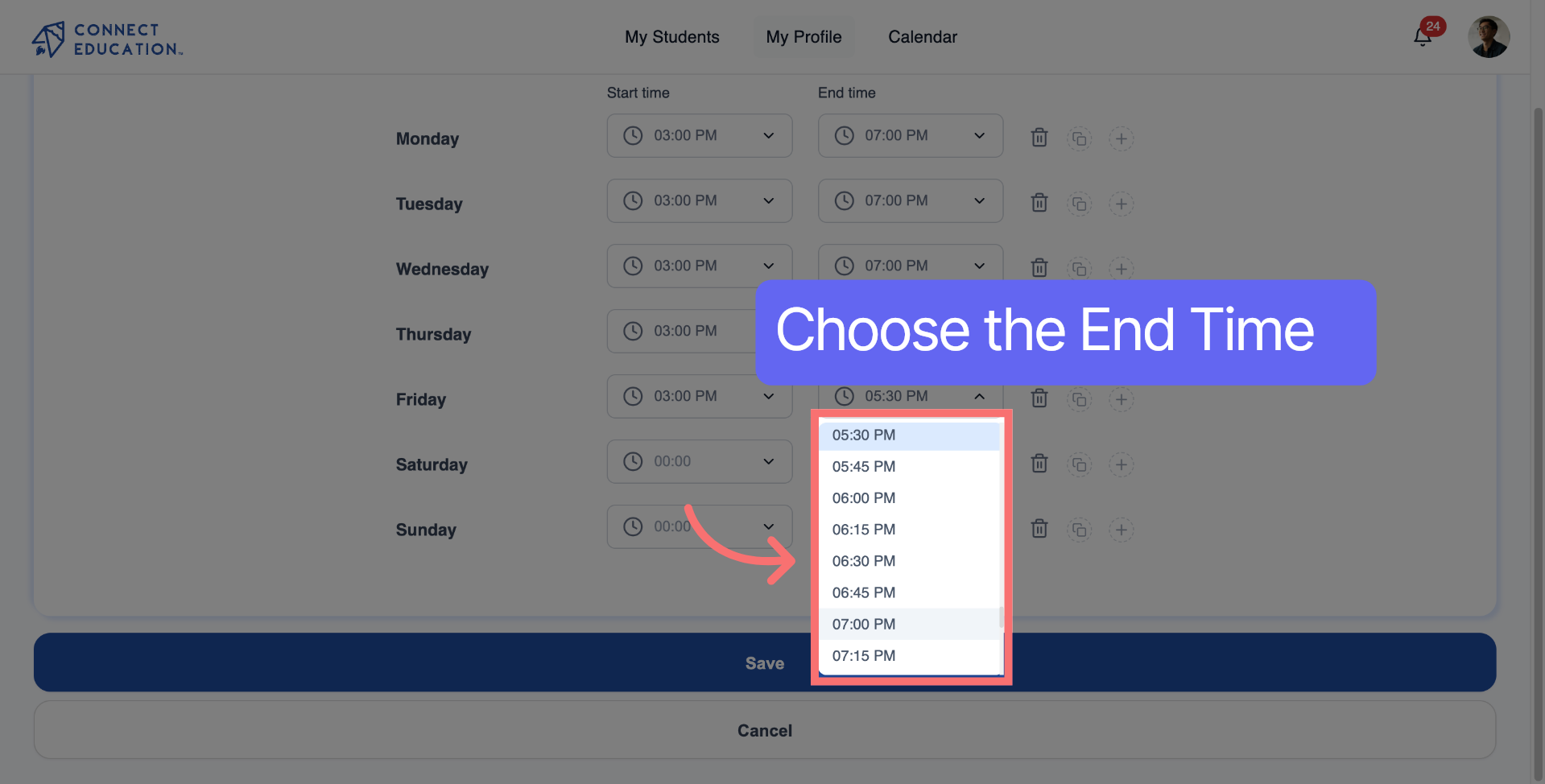
Select the end time for availability.
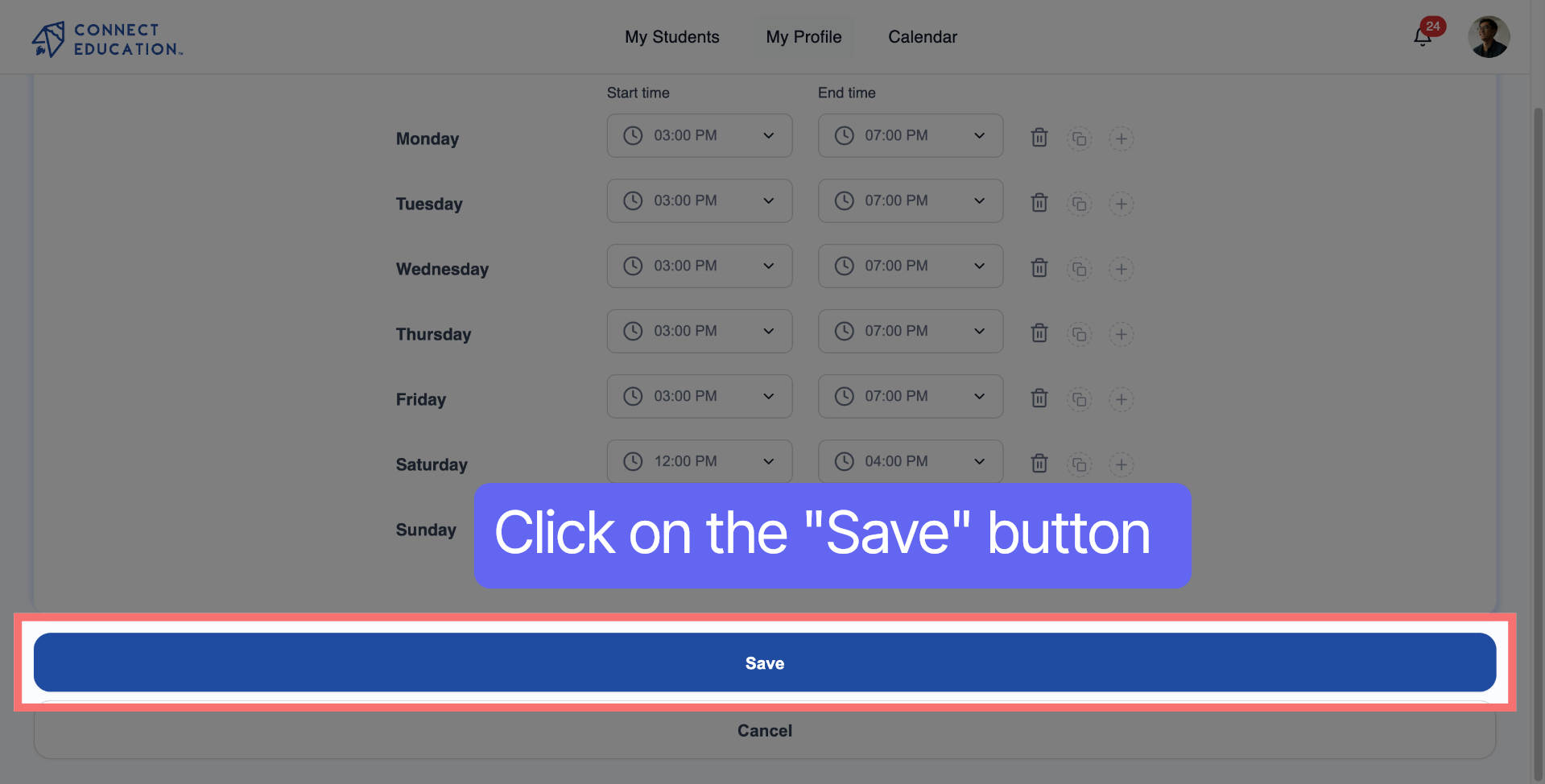
Click the "Save" button to confirm your new availability.



Questions about matching, scheduling or pricing? Reach us whichever way suits you, and our team will take it from there.


